So you’ve decided to make a video to get your brand out there, but you’re not sure you have the staff time. Here’s a quick walk-through of how to do all your video planning in a single day — including market research and storyboarding — and be ready to shoot tomorrow.
Note: We’ve broken this post into two parts.
9:00 am - Prepare.
Drinking your morning coffee, clear your desk, trade your office chair for the swiss ball you keep in the closet. Check e-mail (but not while holding coffee). Now down to business.
9:30 am - Establish research objectives: 15 minutes.
In most cases, you’re probably safe to just answer these two questions: - What will my target customer find interesting in a video format based on lifestyle, age, gender, etc. - What will my target customer respond to in a video format, based on statistics.
When you start gathering information, you’ll be looking for qualitative (or descriptive) and quantitative (or numerical) data to enlighten you on these questions.
9:45 am - Focus on your target market: 60 minutes.
Break out your customer archetype. Do you target more than one age group or niche interest group? What is your target customer interested in?
Make a list of key demographic and lifestyle characteristics of your target customer, and brainstorm a list of ways you might be able to interest them with a video topic. If you already have a topic in mind, brainstorm angles on that topic that are suited to your audience’s key interests.
(If you haven’t created your customer archetype yet, here’s a helpful video on defining your target audience.)
10:45 am - Narrow your topics: 15 minutes.
Working from your list of potential topics or angles, narrow it down to the ones that have the most potential for being produced with the resources you’ll have available, including considerations like time, budget, and equipment. Try to end up with a list of 2 or 3 strong ideas.
11:00 am - Take a quick break. 15 minutes.
Have another coffee, check your e-mail, have a morning snack perhaps. Do a quick yoga stretch or two.
11:15 am - Collect secondary data: 60 minutes.
Secondary data is essentially research that other people have already conducted concerning your customer base, and published handy reports for you to use. Focus on finding both qualitative and quantitative conclusions from completed research studies, and keep a running list of where you found what.
It’s extremely important to refer back to your research objectives frequently as you gather information, to remind yourself what you’re trying to discover about your customer base. Keep notes of key information that will help you answer your research questions, and the more specific your findings are to your video subject, the better.
When it comes to superfast research, the internet is your best friend. It’s well worth paying for membership to sites like MarketResearch.com for a fairly extensive database of consumer studies in one place.
Alternately, you can brave the great wilds of the internet on your own, doing targeted searches on Google Scholar, or searching for advertised public research papers. Publishers vary by industry so searching can be time consuming, but it’s useful in the long run to gain a database of helpful online publishers of market research that will be helpful to your video campaigns.
That concludes the first half of Video Planning in a Day — Check out part 2 here!
Questions or Comments? Tell us what you think!
When you decide to make a video, you should plan to spend about 70% of the total time investment on pre-production: that’s setting goals, planning, and budgeting. The pre-production stage is fairly inexpensive when compared with production (filming) and post-production (editing). However, if you skip any important steps in pre-production, which a lot of folks do, you’ll be making up for it in production and post-production, which is far less cost-effective.
We’ve isolated the 8 most common mistakes that people make in pre-production to help you get the most out of the planning period, and avoid costly (and time-consuming) mistakes in the long run.
1. Forgetting expensive details when creating the budget.
Often people rush through the budgeting process, and forget details which can cause them to run well over budget later. If you’re making a proposal to your boss, team, or a client, you have to be meticulous with budgeting for exactly that reason—so don’t cheat yourself by not being careful when you’re producing your own videos.
Your budget should include every piece of equipment needed, every person you’ll have to pay, every incidental (such as accommodation, travel, food), and a variety of other costs.
2. Skipping market research.
You may think you know your market backwards and forwards, but for each new substantial marketing effort it will be worth your time to gauge how your audience might respond. This can be as simple as looking to see how other videos similar to your video concept have fared with your target audience. Use analytics from your previous videos as a quick resource to check out what’s working for your target audience and what isn’t. Two hours of research can make the difference between a video that wins or one that bombs.
3. Going in without a paddle.
First-timers often think that ad-lib videos, especially with company staff, are more likely to feel spontaneous and real. This can be true, but you should always have a backup script or, at the very least, a set of bullet-pointed topics to cover in case your subject loses his or her nerve in front of the camera.
4. Not building a storyboard.
A storyboard is a document, either on paper or created with specialized software, that lays out very clearly all the shots you’ll need for your video, and all the transitions in between. Having a storyboard helps you get everything you need during the production process, saving you from having to schedule reshoots to capture things you missed. It also tells the editor precisely what’s required during post-production, helping the process run as efficiently as possible.
5. Expecting to arrange production equipment/resources at the last minute.
I can’t count the number of times someone on one of my production teams assumed they could borrow a piece of equipment, only to find out the night before that the owner was out of town/using it already/had broken it. This, of course, leads to delays and expensive last-minute rentals. To be on the safe side, arrange lending and rentals of your equipment and space well ahead of time.
6. Not setting clear project objectives.
From the outset, you should know exactly what your video is trying to do or say. “Make a really cool video about our product” isn’t specific enough, and when you’re explaining the video’s goals to the production team, they’re not going to be able to easily decide how to make it happen. Instead, have a specific video objective such as “Demonstrate the newest feature of our mobile app by showing it in action and providing two customer testimonials.”
7. Having a loose production schedule.
A common mistake, particularly in busy teams, is to have a “do it when we get to it” mentality about producing video content. Sometimes this works, depending on content, but often you end up actually wasting time by not coordinating production resources effectively.
To avoid this, take a few minutes to set specific deadlines for stages in the production process and make them public with the entire production team. That will help you stay accountable to those goals. In the end, this will be more timely and cost-effective than producing a video with an hour here and an hour there, because you can get everyone working together at once to get it done.
8. Skipping the all-important pre-production meeting.
The pre-production meeting is one of the first things to happen once the planning process is finished. This is where you lay out roles and expectations for everyone on the production team, discuss and agree on the production schedule and determine deadlines, give out a contact sheet and production schedule to everyone involved, and answer questions. Skipping this will almost certainly lead to some kind of confusion down the line, so don’t leave it out.
Have anything to add or ask us? Try us at @SproutVideo or leave a comment below!
Research projects that 90% of internet users will be watching video by 2017, so It’s important to get your video strategy optimized to make sure you’re getting a good return on your investment. Just like SproutVideo, any worthwhile video hosting provider should furnish you with an array of analytics tools to help.
Here’s a brief overview of the metrics that we think will help you a) judge the success of each video, and b) create videos that perform better.
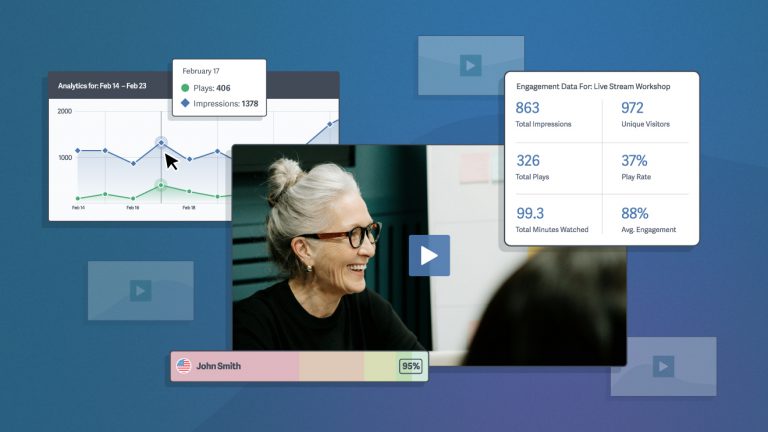
Plays (and Unique Plays)

What is it?
This metric is pretty self explanatory. It tells you how many people are watching your video. This is different from an impression which measures how many times your video is displayed whether it’s played or not.
Note: “Unique” refers to the number of times a brand new user played your video. If the same viewer were to watch the video several times over any period of time, they would only count once towards the unique plays metric.
How Does It Help You?
The plays metric makes it simple to determine which of your videos are being watched the most, and in turn helps you nail down what your viewers are looking for so you can provide consistently fantastic videos. In the same vein, this metric will also tell you which videos are duds — so you can avoid making similar mistakes in the future.
High Performance
Judge performance by relatively high numbers of views compared to your other videos, or compared to competitor videos. As you track your progress and take steps to make your videos more engaging, judge performance of videos by increases in unique plays over time.
Play Rate

What is it?
The play rate is the percentage of people who see the video on a page and actually click the play button. We calculate this by dividing the number of plays by the number of impressions. If your video was displayed 100 times last week and 50 people played it, your play rate is 50%.
How Does It Help You?
The play rate metric allows you to make informed decisions about how your videos are displayed on your site. Is the poster frame eye-catching enough? Is the surrounding text appealing? This will help you determine what works in terms of getting people’s attention and actually getting them to click the play button. Being able to see this metric over time allows you to see if changes to your website or video’s poster frame results in a change in play rate.
High Performance
The average play rate across every single video on SproutVideo is roughly 14%. If your videos have a play rate much greater than 14% you’re doing really well. You may find that your usage is different from the average of our customers. Take a look at the play rates of all of your videos to see which are performing the best.
Average Engagement and Engagement Over Time

What Is It?
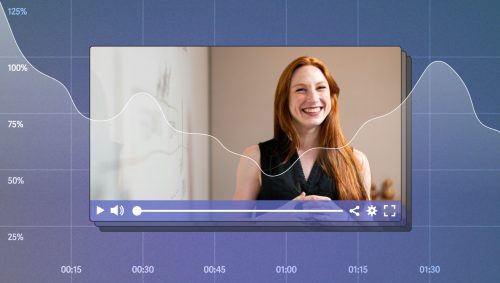
Unfortunately your viewers have busy lives and plenty of things competing for their attention, so they often don’t watch a video to completion. These metrics tell you how much of the video your viewers have seen and the points when viewers stop the video or click away from it.
How Does It Help You?
If the average drop-off point is early in your video, you can use this to judge whether your video is too long, and where the less engaging points are (so you can cut them or shorten them). Also, note the videos that people watch all the way through, and try to figure out what you did right — and keep doing it.
High Performance
The average engagement across all videos uploaded to SproutVideo with over 50 plays is nearly 63.5%. This should help give you a good sense of what to expect. More important than average engagement, however, is making sure people are actually getting to the important parts of your videos. If your viewers are dropping way off before you ever get to your call of action, your video is not performing well.
Device Breakdown

What Is It?
This metric breaks down the viewers by what type of device they’re using. For the most part people either watch on a Desktop or Mobile device (although, on occasion, you’ll see someone watching from a game console like a Playstation 3, XBox 360, or Wii).
How Does It Help You?
The devices breakdown is useful for determining whether you should be optimizing your videos for a mobile audience, which can influence how you manage sound and visuals in your video production. This also tells you which videos are popular with mobile users, an important bit of info especially considering that mobile internet usage is estimated to overtake desktop internet usage by as early as mid-2014.
High Performance
This depends on the audience you’re targeting with your videos. If you’re targeting a mobile device audience, make sure the percentage of plays on mobile devices is high and visa-versa if you’re targeting desktop audiences.
Geography Breakdown

What Is It?
This metric tells you from where, in terms of country and region, your viewers are watching your videos.
How Does It Help You?
If you’re interested in tapping into an international market or increasing your global visibility (and who isn’t these days?), the geography breakdown will help you monitor your progress.
High Performance
This all depends on where you want your market to be. While many international companies shoot for US visibility, it’s also a benefit for American companies to become visible internationally. Choose markets that have a gap for your product or service (provided it’s exportable), and develop your seeding strategy to get your video watched in those places.
Domains Breakdown
What Is It?
This metric tells you where on the web people are watching your videos. Are they engaging from your website? From another site where your video is posted? This feature breaks it down.
How Does It Help You?
The domains breakdown will tell you whether having your videos available on bigger sites, or in multiple locations, is beneficial to driving views. It will also tell you where on the web your video is getting the most views, info you can use in your seeding strategy.
High Performance
The performance of your video in terms of reach (total viewers) is dependent on it being available and attractive on sites with high traffic, so tracking your success in individual domains will help you create a high-performing video.
Ultimately, the metrics you use to determine what is and is not a high performing video will depend on the goals of your video campaign. Hopefully these metrics will help get you pointed in the right direction.
If you want to try these features out for yourself, we offer a free trial of our hosting service — no commitments, and you can try out any of our pricing plans without charge.
Do you have any questions about our features that we didn’t answer here? Feel free to leave a comment below, or you can catch us on Twitter (@SproutVideo).
So you’ve created a unique and appealing video, and now you’re on a mission to get your video out there. How should you do it?
The answer is seeding. Seeding is the process of getting your video seen, and shared, by promoting it through sites, or through influencers, to which your potential customers pay attention. In this post we’re going to explain, in a few simple steps, how to get it done.
1. Identify your target audience(s)
Do you know your customer archetype? The demographics (their ages, interests, lifestyle, browsing habits)? What problems might they have that your product can solve?
Take time to identify who will find your video most interesting and who you want to attract back to your products or services.
2. Identify your target sources.
Where is your audience getting their content? What blogs do they read? In what forums do they hang out? Which tweeters do they follow? Are there sites that frequently feature videos on similar topics to yours? Which journalists regularly cover topics like this? The answers to those questions are your target sources.
If you can build a spreadsheet list of the most influential sites and sources for your niche audience, it will become one of your most valuable resources for getting your content out there.
Some sites let you put your video up for a fee. This is a fast-track to getting coverage, but it may not be the coverage you’re looking for. Be sure to research exactly who is frequenting a pay-for-placement site before you pay.
3. Perfect your Hook.
Your hook is the pithy, one or two sentence description of your video that will make sources want to watch it and share it.
A great hook is both a teaser and an advertisement: it needs to tell your source what your video will do for them, and also tell them what it’s about.
Example e-mail hook:
“Hi HealthyCookingMom, I hope it’s no intrusion, but I think your readers will love this how-to video for making Mango-Strawberry Lemonade pops. They’re perfect for this hot weather and fit with your recent Salute to Fruit series!”
Example Twitter hook:
“@DIYPhotographer Fantastic posts this month! I think your followers will like this #video, ‘Build Your Own Pocket Tripod,’ right up your alley. yourvideolink.com #photography #photogeek”
4. Call, Tweet, E-mail—in that order.
Use the telephone for sources with whom you already have a close enough relationship that you can call them comfortably, or who maybe you don’t know, but who list their phone numbers on their blogs or sites. Phone calls have the best rate of return.
Tweet or DM sources who are very active on Twitter. This can be done quickly and has a relatively high rate of return as well, usually in the form of tweets or retweets of links to your video. However, this is can turn spammy, so be very targeted in who you approach or folks will ignore you. (Tip: Go very niche, with followings of 5000+.)
E-mail everyone else. This is the least effective way to seed, in that influential sources get hundreds of e-mails a day, but it still sometimes works.
5. Finally, self promotion.
Don’t forget to promote your own video content as much as you can!
Get your video out there via your own social accounts, blog, newsletter, the front page of your website, and by linking or embedding it in relevant conversations on web forums.
Questions? Comments? Anything to add? We’d love to hear your thoughts.
Creating a great video campaign can involve a lot of planning, but what if you want to start getting your video content out there right away?
Here’s a list of videos you can make tomorrow, which will require minimal planning (no market research necessary), and will cost you next to nothing to make, provided you have a camera and simple editing software.
1. Customer testimonial
Are you going to see a customer tomorrow? If so, ask their permission to film them giving a short testimonial. If you don’t have direct access to your customers, it will only take five minutes to film a team member reading out a customer testimonial in the form of an e-mail or Tweet you’ve received – and to give that customer and quick shout-out and thank you.
2. Product demonstration
Film a quick demo of how to use your product. This is a chance to demonstrate a new feature or to explain a tricky feature that results in a lot of customer questions.
3. Interview with a team member: company story
Get a team member to agree to give their take on the company, for example their sense of the company mission, or to tell the company’s history in three minutes or less.
4. Interview with a team member: on the job
Follow a team member during an interesting part of their workday, asking them to narrate what they do in three minutes or less.
5. Answer a FAQ about your product or service
Is there a question that keeps getting asked by your customers? Take a few minutes and have someone explain the solution in a short video. Then refer customers to this video from your FAQ page.
6. New use of your product
If your product can be used in a variety of ways, demonstrate one of the lesser known ones, or make up a fun one. Do you sell vodka? Create a new drink and show users how to make it at home.
7. Give an inside look at a staff day or event
At your next staff event — even if that’s an impromptu dinner after work — pull out your smartphone and film a bit of the fun. Edit it later to give a look into what the team is like outside of work. Try to leave out the embarrassing parts.
8. Ask your audience a question
Take a moment to ask your audience a question related to your product. Take requests for new features, services or product options. Crowdsource! This is a great way to get ideas for future ventures, and spreads a sense of ownership among active members of your community.
9. Offer a list of tips
Have a team member list and explain a few tips for getting the most out of your product or service.
10. Join a conversation
Take an opportunity to comment on something your community is talking about on other platforms. This is the time to give a point of view, a valuable insight, or an expert opinion.
Have any more suggestions for our list? We’d love to hear them. Find us at @SproutVideo on Twitter, or leave a comment below.
Research suggests that showing, rather than just telling, is a more effective way to get customers engaged because it saves time and effort when compared to reading text.
For you, this is an opportunity to demonstrate your product and to show potential customers its value in a more engaging way.
The brands highlighted below have each used video to demo their products, and we’ve given a couple of takeaway points to highlight what each demo does well.
Google: Show and Tell with Weezer
- It takes less than a minute — less than 30 seconds, in fact — to understand what Voice Search is, how it works, and how well it works. (Plus, it has Weezer.)
- This is a promo video that appears in Google’s DemoSlam, a site “where amazing tech demonstrations battle for your enjoyment.” That’s right: in a hot-or-not-style comparison, you get to watch and rate various demos of Google products, many uploaded by normal users. Talk about crowdsourcing useful content!
Prezi: Keeping it Simple
- This type of video is simple, easy to make, and a great solution if you sell software or an online service. You can create similar screen capture recordings with programs like ScreenFlow or Camtasia. These programs make it incredibly easy to cut, edit, and add voice overs to create a very very professional looking demo.
- This is a useful approach if you find yourself overloaded with FAQs from customers. Create a video answer to a common question, and point your customers to the video for a visual demonstration of how something works. Tip: Create a Playlist of FAQ videos and place them prominently on Customer Service pages of your site.
DropBox: The Whole Story (in a Nutshell, Twice)
- Dropbox presents the problem you didn’t know you had (files all over the place), the solution to that problem (“a magic pocket”), and shows you how it works, all in simple language with simple illustrations and metaphors. Any company can do this.
- They go one better by telling you another helpful story: the story of Josh, who is traveling to Africa and needs a resource to keep his files accessible. Josh is a lot like me, with the same sorts of problems. Dropbox is the solution to his problems. This video is why I downloaded Dropbox in 2011, and I still use it.
LegoLand: Showcasing the Experience
- Lego knows their audience. The product is aimed at children and parents, so the video is child-centric, clearly hoping to bring out the child in everyone. (And who wouldn’t love a bed made of Legos?)
- This type of demo is great for companies that sell experience products, particularly ones that might be unfamiliar to people who have never had a comparable experience. This is a teaser as much as a demo.
Whatever you do, avoid trying to get into too much detail in a single video. Your best bet is to update your site video content on a regular basis, and use each new video to explore a new aspect of your product in a simple way.
The Final Cut:
When creating your demo or explanation videos, keep these tips in mind:
- Keep it short.
- Tell a story with your video to help make your product or service relatable to your potential customers.
- Use video to answer common questions about your product to reduce customer support requests.
- Showcase the experience the customer will receive when using your product or service.
Questions? Comments? Share your thoughts!
No matter your political leanings, it was difficult not to empathize with Senator Marco Rubio during his State of the Union response this week. Though he did not succumb to his thirst until about halfway through his speech, it was apparent by his incessant lip smacking leading up to his desperate lurch for water that he was suffering from a severe case of cottonmouth. While we admit we giggled a bit, we’ll go easy on Senator Rubio and simply use his understandable, yet preventable, gaffe to share a few friendly reminders that will keep you from making a similar faux pas.
1. Obey Your Thirst
How could this tip not be at the top of our list? Whether we’re nervous, filming in a dry location, or simply not used to speaking so much, anyone can fall victim to dry mouth. If you want to avoid needing to quench your thirst in the middle of filming, the keys to are prevention and preparation. Be sure to drink plenty of water before you begin filming and during breaks throughout the production process. If that’s still not enough, consider working a sip “break” into your video; if timed correctly and done in a relaxed manner, taking a small sip of water can give them an extra second or two to do just that after you have just said something particularly profound.
2. Think Arctic vs. Tropical
While we certainly don’t encourage filming in a parka (unless, of course, that makes sense for your video), we do suggest you keep the temperature of your filming venue on the chillier side. With the heat of lights and the fact that even the most confident of us can get a little nervous under pressure and sweat, keeping your thermostat set to low can help you keep your cool.
3. Every Video Star’s Drugstore Shopping List
Despite the fact that it is now 53 years old, most are familiar with the sweaty, uncomfortable look sported by President Richard Nixon during his debate with President John F. Kennedy in 1960. Do not walk into this easily avoidable, and yet still all too common, blunder! Unlike Nixon, who refused to wear foundation, Kennedy understood the importance of appearance when your audience can see you. Simply apply powder to avoid glistening on camera. While picking up powder at the drugstore, don’t forget to grab anti-frizz hair serum to tame unruly fly-aways and Chapstick to keep your lips properly moistened while speaking.
4. Distractions, Be Gone!
Before starting the filming process, turn off your cell phone, take loose change out of your pockets and clunky jewelry off, choose a stationary versus rolling/rotating chair if you’re seated, and banish from the room all people and pets who are not directly involved in the production process. You will have improved concentration and feel less pressure if it’s just you and those equally invested in the filming process.
5. X Marks the Spot
Generally speaking, you do not want to move around in a video because it can be distracting for your audience and difficult to control your background scenery. However, if you must walk from one spot to another, make it easier on yourself. Using chalk, draw an “X” on the floor of the spot(s) to which you’ll need to move. It may seem silly now, but when you’re speaking on camera, remembering even small details like where to stop can prove challenging. In most cases, your feet are not being filmed so your viewers will ever know the difference.
6. Enemies in Disguise
Solid green and blue can look fantastic on camera but before you don either of these colors, ensure that you will not be using chroma keying front of a green or blue screen… Unless the floating head look is what you’re after.
7. Speaking of Attire…
Stripes and small or busy patterns look awful on camera and can even hurt people’s eyes. Don’t be that guy (or gal). Additionally, stay away from whites, pastels, nudes, reds, and blacks as these colors have a difficult time allowing the camera to capture the natural curves of the human form if your ensemble is not form-fitting. In other words, you’ll look like a blob. Rich shades of blue, purple, and green (as long as you’re not working against a green screen) stand up well on camera.
8. Video Au Naturale
We know you know how important it is to sound like you are talking to your audience rather than at them when you create your video. What you may not realize, however, is how rehearsed and unnatural you may sound if you memorize a script word for word. The same is true if you rely on a teleprompter: You run the risk of sounding like a robot. To avoid this, either write your own script or have a hand in editing it to ensure that you include language rolls right off your tongue while filming. Then, rather than memorizing your script, rehearse it and perhaps write a bulleted list on a piece of poster board (held up behind the camera) to reference during filming, ensuring you stay on track.
9. Sharing the Camera
If you are not the only star of your online video, take time to rehearse and remain open to creating a different version of your original script if it makes sense. Camaraderie is difficult to fake so if you and your fellow video talent are familiar with one another’s speaking style, it will bode well for your final product. Additionally, through your rehearsal interaction, you may find that you better deliver a line initially written for them (and vice-versa).
10. Have a Good Time!
Relax. Smile. Laugh. Blast your favorite song and dance around like a maniac to shake off your nerves (even if this is done using ear buds and alone in your office)! Your viewers are watching your video not to critique you but because they like what you have to offer so don’t work yourself up.
What are some obvious tips that people often forget when creating new online videos? Share your tips with us here, on Twitter, or on Facebook!
Kickstarter.com, the site that made crowdsourcing mainstream, is successful partly because of its brilliantly simple formula for making a great marketing video.
Kickstarter teaches people who may not know much about video campaigns how to create an effective one with their Kickstarter School, and they do this by boiling it down to a few simple steps.
Tell a great story.
Kickstarter advises to tell a story, but they don’t exactly tell you how. Filmmaker Andrew Stanton did a wildly popular TED talk on storytelling in which he explains that to craft an appealing story, you have to appeal to the emotions first. People generally WANT to care about something, and the function of a compelling story is to help make them care.
Ideally, Stanton says, you do this by focusing on a character who in some important way is just like the person you want to reach. Your video story should explore the quality or problem that the character shares with her audience — that’s what the story is about. By the end, you should reach a helpful truth.
It’s easier said than done, but it’s a good start for structuring a compelling video campaign.
The best Kickstarter videos highlight project heroes who are actually a lot like you and me. Their stories are about struggles and passions that we can relate to and therefore we care. As a result, those projects are much more likely to get funded.
If you’re trying to convert people with video, try to tell a story that will resonate with your viewers on an emotional level. If you do, your viewers will be that much more likely to respond to your call to action.
Keep it short.
Kickstarter says, “Be concise.” Once you know your story, cut it down to the essentials. Then cut it down again.
Focus on rewards.
Sometimes just telling a great story isn’t enough. You might need to incentivize your viewers to take the next step by offering them something as well. What are you offering your customers? This should be at the forefront of your mind when running a video campaign.
Kickstarter projects, for instance, offer a variety of rewards in exchange for donations. Those videos that highlight rewards are likely to do better than those that don’t. Make sure that it’s obvious what the viewer will get in return for taking the action you’re asking him or her to take.
Wrapping Up.
So, remember, if you want to use your videos to help get conversions follow these three simple principles:
- Tell a story to connect with your viewers on an emotional level.
- Keep it concise so your viewers don’t get bored before your call to action.
- Highlight what the viewers get in return so they are motivated to take the next step.
Questions? Comments? We’d love to get your input.
Videos are a great way to engage your viewers but they can also be an excellent and effective way to capture new leads as well. We’re pleased to announce that we’ve added a new feature that makes it incredibly easy to collect email addresses from your leads with embedded videos. Now you can require your viewers to enter their email address before they’re able to watch your video. This email address will be used to automatically tag leads in your engagement metrics so you can easily see which of your leads are the most engaged and get a sense of which ones will be most valuable.
You’ll notice a new “Download CSV” button at the top right of each video engagement metrics page. To help you export those email addresses to use with your ESP, marketing automation software, or for whatever other use you can imagine, we’ve added the ability to download a CSV file of all of the engagement sessions for a video – including all of those email addresses you captured.
The email collection screen is customizable. You can change everything from the background color to the prompt asking for the viewer’s email address.

In addition, we’ve added yet another way to automatically tag your viewers if you already have their email address by altering the link to the page on which you’ve embedded your video. Check out our help article about tagging viewers for more information.
If you’re in the process of building a responsive website or looking to add video to an already responsive website, here is a quick guide on how to make sure your videos resize as seamlessly as the rest of your site.
The Problem
Why do images resize fluidly and maintain their aspect ratio in responsive layouts when videos using iframe or object embed codes do not? Since images have a defined width and height, browsers are able to calculate, and maintain, their aspect ratio when resizing them. Iframe and object elements, on the other hand, have no native width and height that a browser can use to calculate an aspect ratio. This can lead to some frustrating behavior when embedding a video in a responsive layout.
The Solution - Intrinsic Aspect Ratios
The solution to this problem is to tell the browser what the proper aspect ratio should be for the video in the iframe or object element. This way, the browser will be able to maintain that aspect ratio when resizing the video in a responsive layout.
How it works
To set up this “intrinsic ratio” you simply need to create a box with the proper aspect ratio, place the embedded video in that box, and have it stretch to fit that box.
The padding-bottom css property is what allows us to define the aspect ratio for the box in which the video will be placed. By setting the padding-bottom property to a percentage of the width of the containing element, we are able to create an intrinsic aspect ratio for that box.
Once the aspect ratio is set up, we just need to set our video embed code to take up the full width and height of the box we just created.
An example
<style>
.videoWrapper {
position: relative;
padding-bottom: 56.25%;
height: 0;
}
.videoWrapper iframe,
.videoWrapper embed,
.videoWrapper object {
position: absolute;
width: 100%;
height: 100%;
left: 0;
top: 0;
}
</style>
<div class="videoWrapper">
<iframe class='sproutvideo-player' type='text/html' src='http://videos.sproutvideo.com/embed/e898d2b5111be3c860/546cd1548010aaeb?type=sd' width='630' height='354' frameborder='0'></iframe>
</div>
See it in action (Try resizing the browser window!)
Explanation
In this example, the .videoWrapper sets the padding-bottom property to 56.25%. This sets up a 16:9 aspect ratio for that div (9/16 = 56.25%). Then, the SproutVideo iframe embed code is placed within this box and set up to take 100% of it’s width and 100% of it’s height.
Tips
- You can use different
padding-bottompercentages if your video has a different aspect ratio. Set it to 75% if the video is 4:3, for instance. - If you need some extra room for a player’s controls (like YouTube for instance), you can add a
padding-topproperty to the .videoWrapper class. YouTube’s player chrome is 25px tall so thepadding-topshould be set to 25px. - If all of this is too much work, you can use a great jQuery plugin called FitVid.js to take care of automatically wrapping your videos in a responsive container with an intrinsic aspect ratio and adding the needed CSS. If you’re using FitVid.js with SproutVideo, make sure to add the following custom selector when initializing the plugin:
$("#thing-with-videos").fitVids({
customSelector: "iframe[src*='videos.sproutvideo.com']"});
Your Turn
Are you using a SproutVideo video in a responsive layout? Leave us URL in the comments. We’d love to see it!